Windows · LESSON 12
Study with Dr. Shallua’s Commentary
Follow this procedure inside Exegis, pause after each action, and verify the result before moving forward.
What you will accomplish
Study one paragraph with Scripture first and commentary second, then list evidence supporting the interpretation.
Use Exegis 1.15.26 or later, keep this lesson open beside the application, and preserve personal data before making installation or storage changes.
GUIDED VISUAL
Screen walkthrough
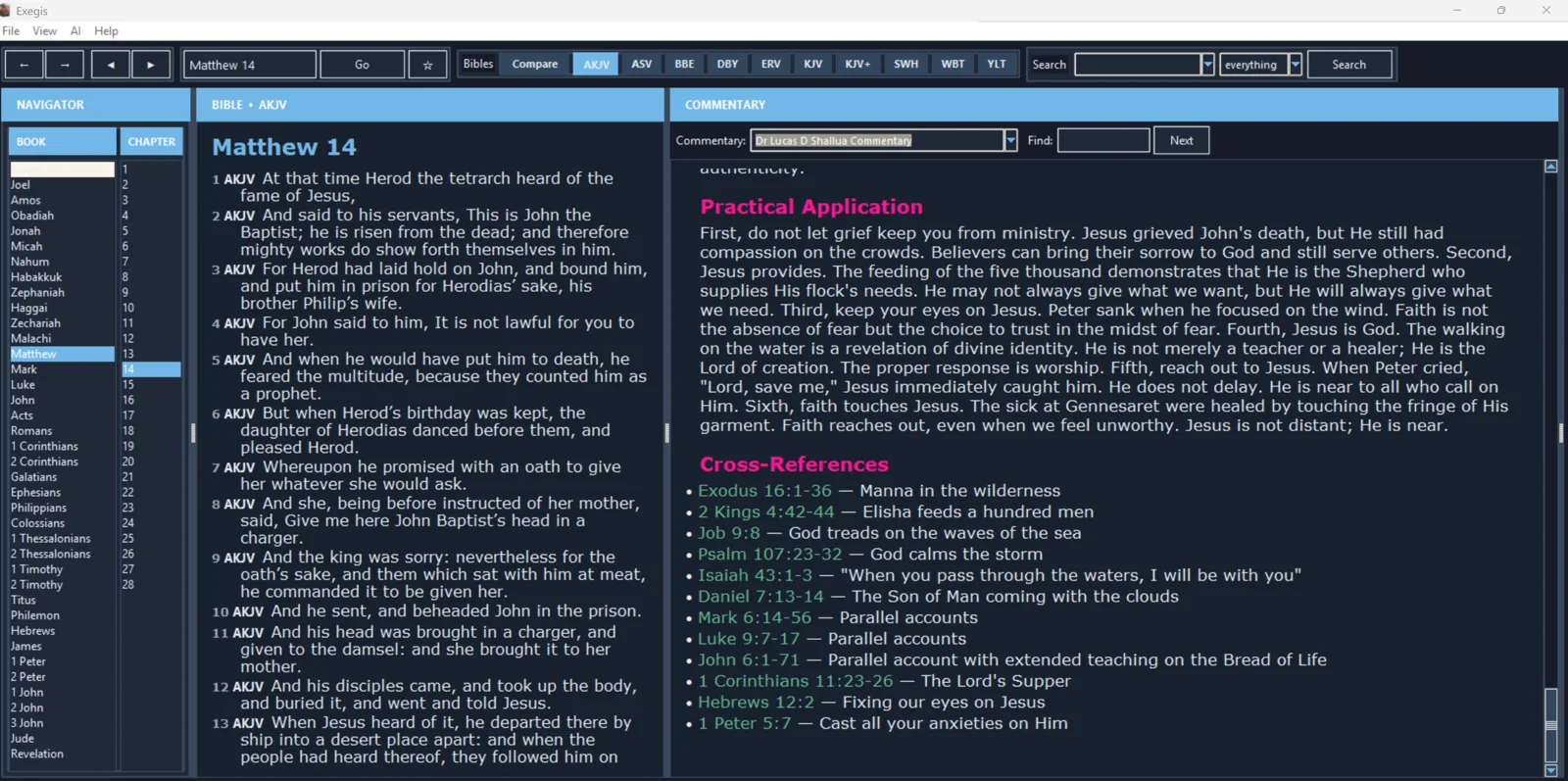
The lesson is recording-ready. The guided walkthrough uses the authentic screenshot and the exact narration sequence below; a recorded WebM/MP4 can be inserted here without changing the page.
FOLLOW IN ORDER
Detailed procedure
- 1
Open the commentary panel and place Dr
Open the commentary panel and place Dr. Lucas D. Shallua Commentary first when choosing among installed resources.
- 2
Navigate the Bible to the target chapter and confirm that the commentary follows the same reference
Navigate the Bible to the target chapter and confirm that the commentary follows the same reference.
- 3
Read the exposition after reading Scripture
Read the exposition after reading Scripture. Distinguish observation, historical context, interpretation, theology, apologetic response, and application.
- 4
Open every cited passage that carries significant weight in the argument
Open every cited passage that carries significant weight in the argument. Read more than the quoted verse whenever context affects the claim.
- 5
Write your conclusion in your own words and note where you agree, remain uncertain, or need to compare another interpretation
Write your conclusion in your own words and note where you agree, remain uncertain, or need to compare another interpretation.
YOUR TURN
Practice assignment
Study one paragraph with Scripture first and commentary second, then list evidence supporting the interpretation.
If the screen looks different
- Confirm that your installed Exegis version is 1.15.26 or later.
- Look for the same control inside the navigation menu when using a narrow window or phone.
- Confirm the active Bible, resource, passage, and theme before assuming content is missing.
- Restart Exegis after an installation or resource change, then repeat the last verified step.
- Use the official Contact page and include version, device, steps, expected result, and actual result.